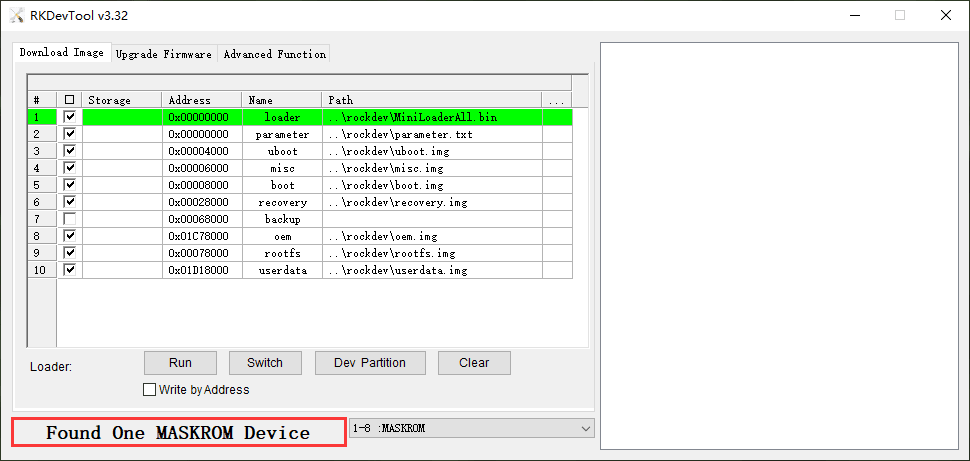
The EM1126B-P supports Normal mode and Upgrade mode.
Normal mode |
Upgrade mode |
|---|---|
Normal mode is the normal startup process |
MaskRom mode Loader mode |
1. MaskRom Mode
In general, there is no need to enter MaskRom Upgrade Mode. Only when the bootloader verification fails (the IDB block cannot be read, or the bootloader is damaged), the BootRom code will enter this mode. At this time, the BootRom code waits for the host to transmit the bootloader code through the USB interface, load and run it. When the board becomes bricked and cannot start or upgrade the program normally need enter MaskRom Upgrade Mode.
❶ Connect PC and development board with Micro USB cable.
❷ Short circuit EMMC_D0 and GND.
Warning
Please be careful to avoid touching the components to cause short circuit and damage the development board.
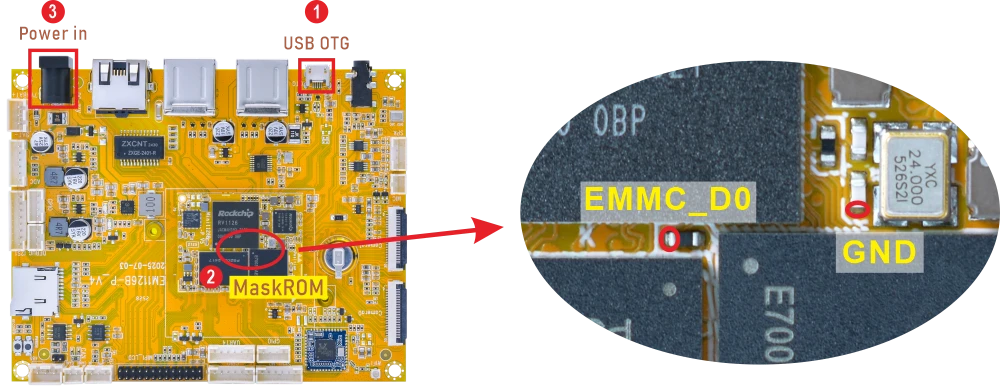
❸ Power on.